It depends. There are many different uses for booklets, and they contain a wide variety of content (ex. text vs photos vs graphics). Today, I’m going to write about the top few things you should consider before choosing the best paper type for booklet printing.
When I work with customers printing booklets, I generally recommend that they choose their paper based on the content (ex. text/photos/graphics) of their booklets. I generally ask them to consider the following questions.
And don’t stress too much about the decision. In the end, it really comes down to preferences. You can’t really choose the wrong paper for your booklet.

Question #1: What paper coating should you use for your booklet?
The 3 kinds of paper coating are: uncoated paper (like office paper), matte paper, or glossy paper.
Choosing between “uncoated” vs “coated” (gloss/matte) paper. Most booklet customers opt for either matte or gloss, because the sheets look and feel more substantial.
On the other hand, comes customers prefer uncoated paper. Customers who prefer uncoated paper typically like it because they feel more like copy paper; they like that the sheets are plainer and don’t feel as fancy. Uncoated paper feels like the sheets you would get out of a copy machine, and some customers prefer them for newsletters, manuals, and brochures.
Choosing between gloss vs. matte paper. I would choose depending on the type of colors you have on your sheet.
Matte paper is a good choice for booklets with a muted color palette or a large amount of text. It’s also good for documents with a lot of pastel colors. For example: customers printing booklets related to weddings often choose to use matte paper. Similarly, if your booklets contain a lot of light colors, I would also recommend matte.
Gloss paper is fantastic for punching up the color in booklets with a lot of color, especially photographs. If you have a lot of graphics and photos that you want to really shine, gloss will help your document catch extra shine when the sheets are flipped under the light. Many of our customers tell us that they choose gloss for their booklets because they want that extra shininess when their customers pick up the booklet.
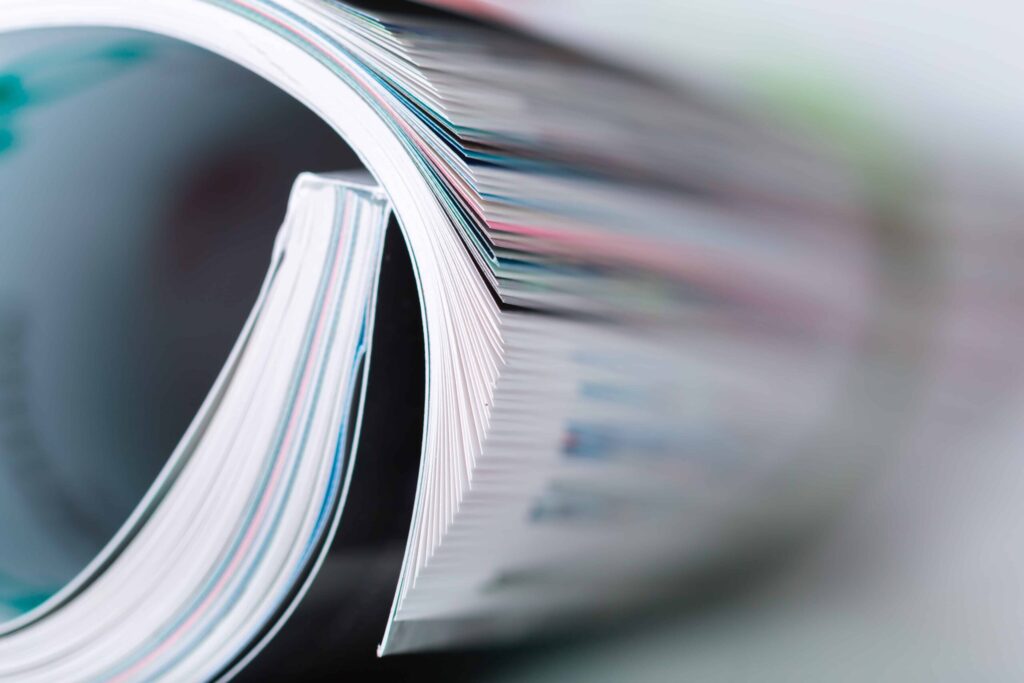
I have two more tips to keep in mind. First—if you’re printing a magazine—most of our customers opt for glossy paper. Second: gloss paper is definitely shiny, but not like the extreme shine of photo paper; try to imagine what a glossy magazine sheet looks like.
Question #2: Should you choose thinner or thicker paper for your booklet?
Booklet paper for interior pages commonly comes in different text weights, with 80 lb. text paper and 100 lb. text paper being two popular options. The best choice depends on your booklet’s page count, intended use, and how substantial you want the finished piece to feel.
80 lb. text paper is lighter and more flexible. It works well for magazines, casual catalogs, and longer booklets where keeping the overall piece lighter can make it easier to handle.
100 lb. text paper feels noticeably thicker and more substantial. It is a strong choice for business catalogs, art magazines, designer brochures, and other booklets where you want a more premium feel.
As a general rule, thicker paper feels more formal and substantial, while thinner paper keeps a booklet lighter and more flexible.
The size of your booklet is another important factor. If your booklet is relatively short, such as 12 pages or fewer, 100 lb. text paper can help it feel less flimsy. For longer booklets, such as a 40-page saddle stitch booklet or an 80-page perfect bound booklet, a thinner text stock may be the better choice.
Quick guide:
- 80 lb. text paper: Better for longer booklets, magazines, and casual catalogs
- 100 lb. text paper: Better for shorter booklets, premium presentations, and more substantial printed pieces
Question #3: What about choosing the booklet’s cover paper?
The first consideration is: should you choose a “self cover” or cover stock? “Self-cover” means that the cover uses the same paper type as the guts. In general, I recommend choosing a cover stock (ex. 80 gloss cover/100 gloss cover). The extra stiffness make the booklets feel better to hold and flip through.
The next consideration is the thickness of the cover stock, and I would use the same rule of thumb that I gave in question #2: thicker paper feels more formal and substantial.
Final thoughts on choosing paper for your booklet
In the end, I have to reiterate: you really can’t choose the wrong paper for your booklet. There is no right answer for choosing paper types, so I hope my rules of thumbs were able to help you make your decision.
For those customers who really want to tune and check the presentation of the different booklet paper types, I recommend ordering proof prints of various paper combinations. There’s no substitute for seeing your designs printed on actual sheets of paper.
Contact Printivity at [email protected] and request a complimentary paper sample before placing your next order!

Recent Posts
-
 Customer Highlight: How Wedding Venue Map Simplifies Wedding Planning
 -
 Making a Difference with Tiffany and The Gem Foundation
 -
 What Is Saddle Stitch Binding? A Quick Guide for Print Projects
 -
 Booklet Layout: How to Arrange and Order Pages for Printing
 -
 Guide to Choosing the Right Binding for Church Programs